
Most stores translate their product pages and checkout before BFCM and assume the sale banners will follow. They rarely do. A banner is often an image with English text baked in, so it stays in English after the rest of the page has been translated, even though it carries the offer, the dates, and the reason to buy now.
In this guide, we will explain what your store can and cannot localize in its visuals, then look at the sale details that need to change for each market, and show you how to translate Shopify banners and images before Black Friday.
Your store can localize some visuals, but not all of them
Translation tools handle text well, but images follow different rules. Knowing where the limits are can help you decide early which visuals need a separate version for each language.
Text inside images stays in one language
Translation works on text, not on the pixels of an image. Accessibility guidelines recommend using real text rather than images of text, because “people cannot alter how text looks in images” (W3C, 2026), and the W3C’s internationalization tips ask designers to keep the text of any graphic that will be translated on a separate layer (W3C Internationalization, 2015).
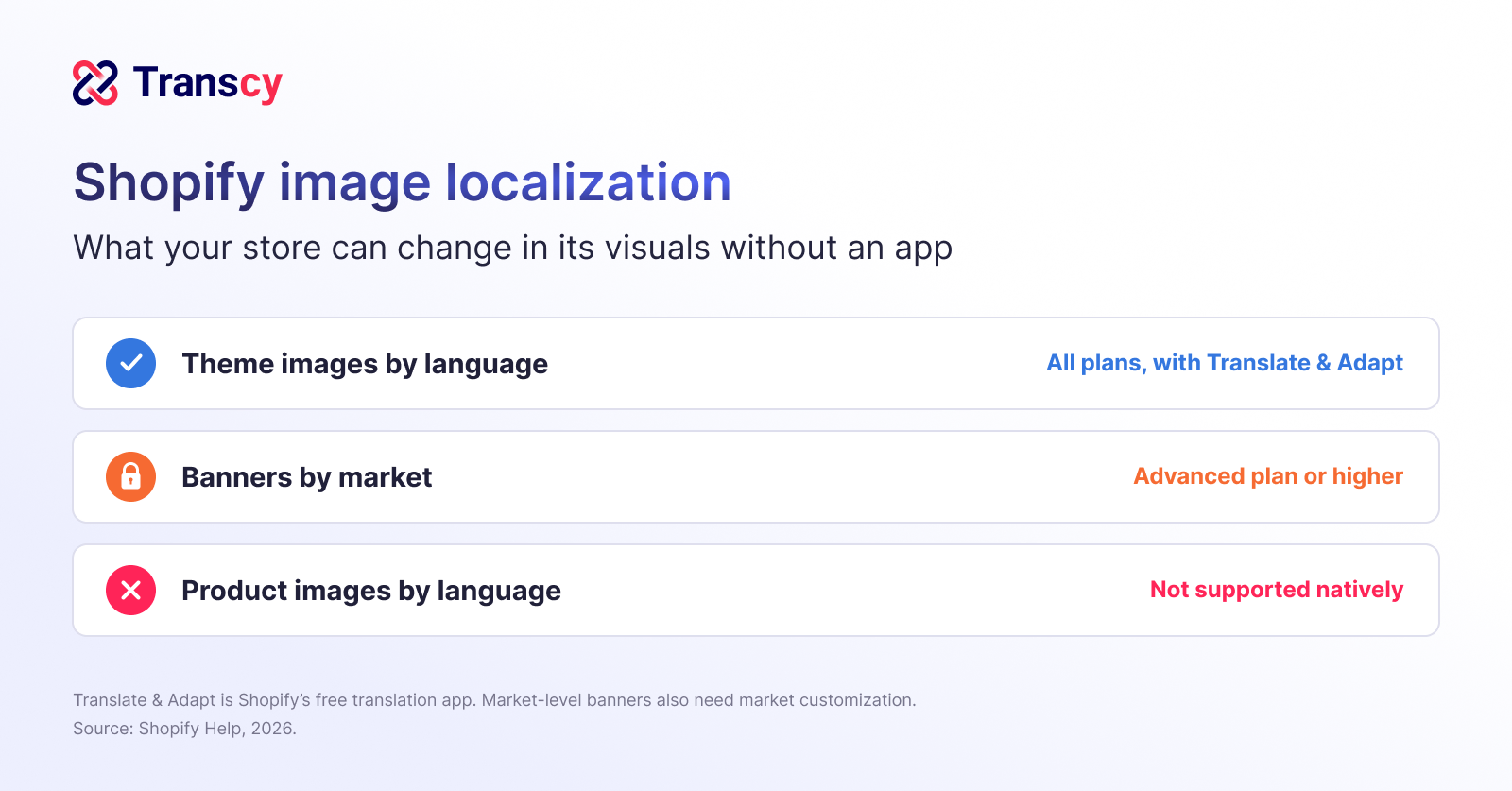
A banner with English baked into it is a shop sign painted in one language: you cannot translate it, only repaint it. Treat any text drawn into an image as content that needs its own version in each language, including headlines, discount badges, dates, and button labels.
Theme images can change by language; product images cannot natively
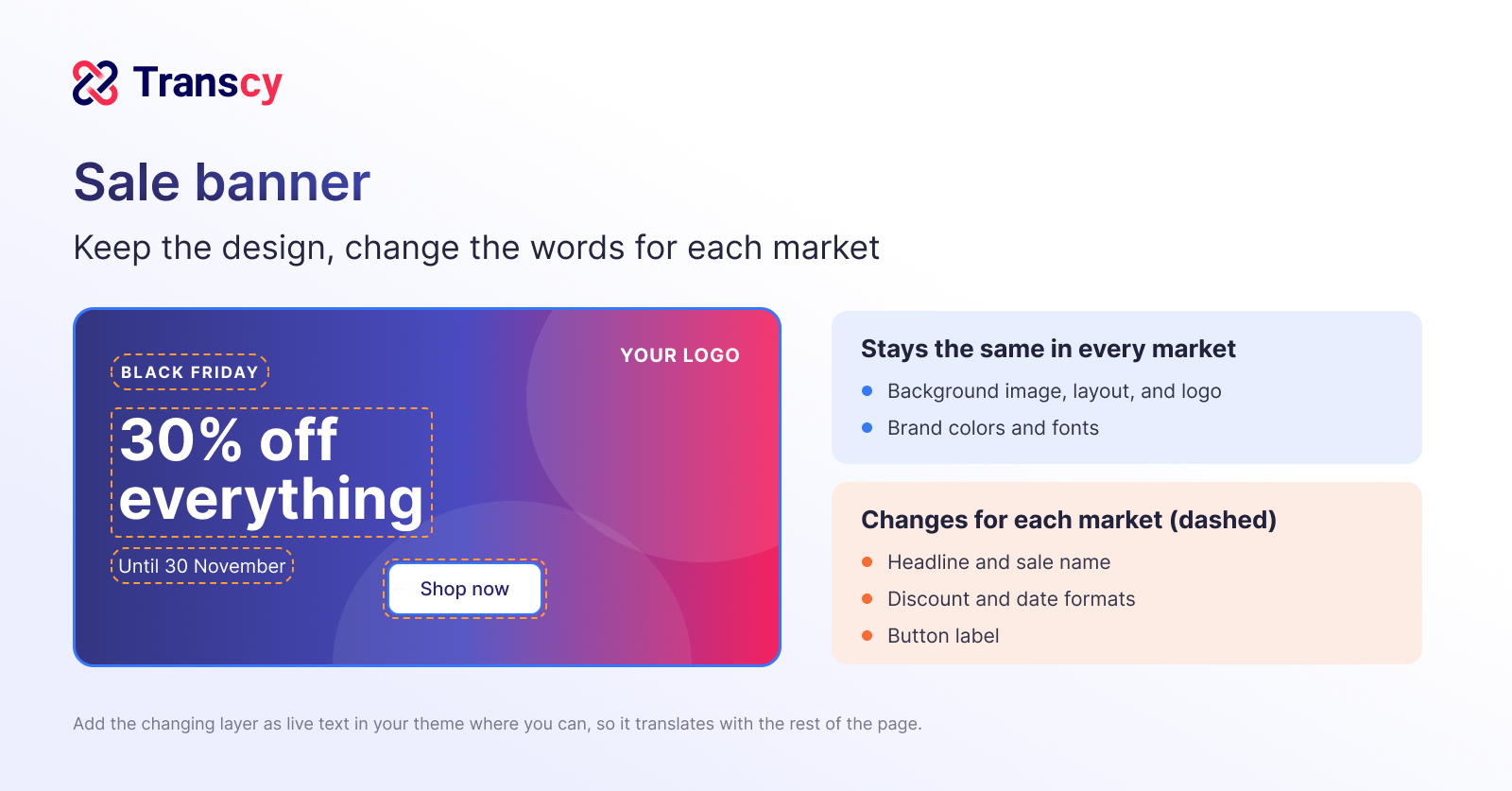
Shopify’s Translate & Adapt app lets you add a different version of an image or video for each language in your theme sections (Shopify Help, 2026). Product images, however, are listed as an unsupported content type (Shopify Help, 2026).
Sort your BFCM visuals before you start: homepage banners and other theme images on one list, product images on another. The first list can be swapped by language with Shopify’s own tools, while product images with text need an app.
Banners by market depend on your plan
Showing different banners to different markets, rather than different languages, requires the Shopify Advanced plan or higher. On the Basic and Grow plans, homepage banners, announcement bars, and block content cannot differ between markets, even with Translate & Adapt (Shopify Help, 2026).
Decide whether you need one banner per language or one per market. A German-language banner can serve Germany and Austria on any plan, but a banner that shows a different offer in each country needs market-level customization.
Sale details that need to change for each market
A translated headline is only part of the job. The details around it, such as dates, discount formats, and the space text needed, can make a localized banner confusing if they are copied over unchanged.
Sale names and dates: Each market reads them differently
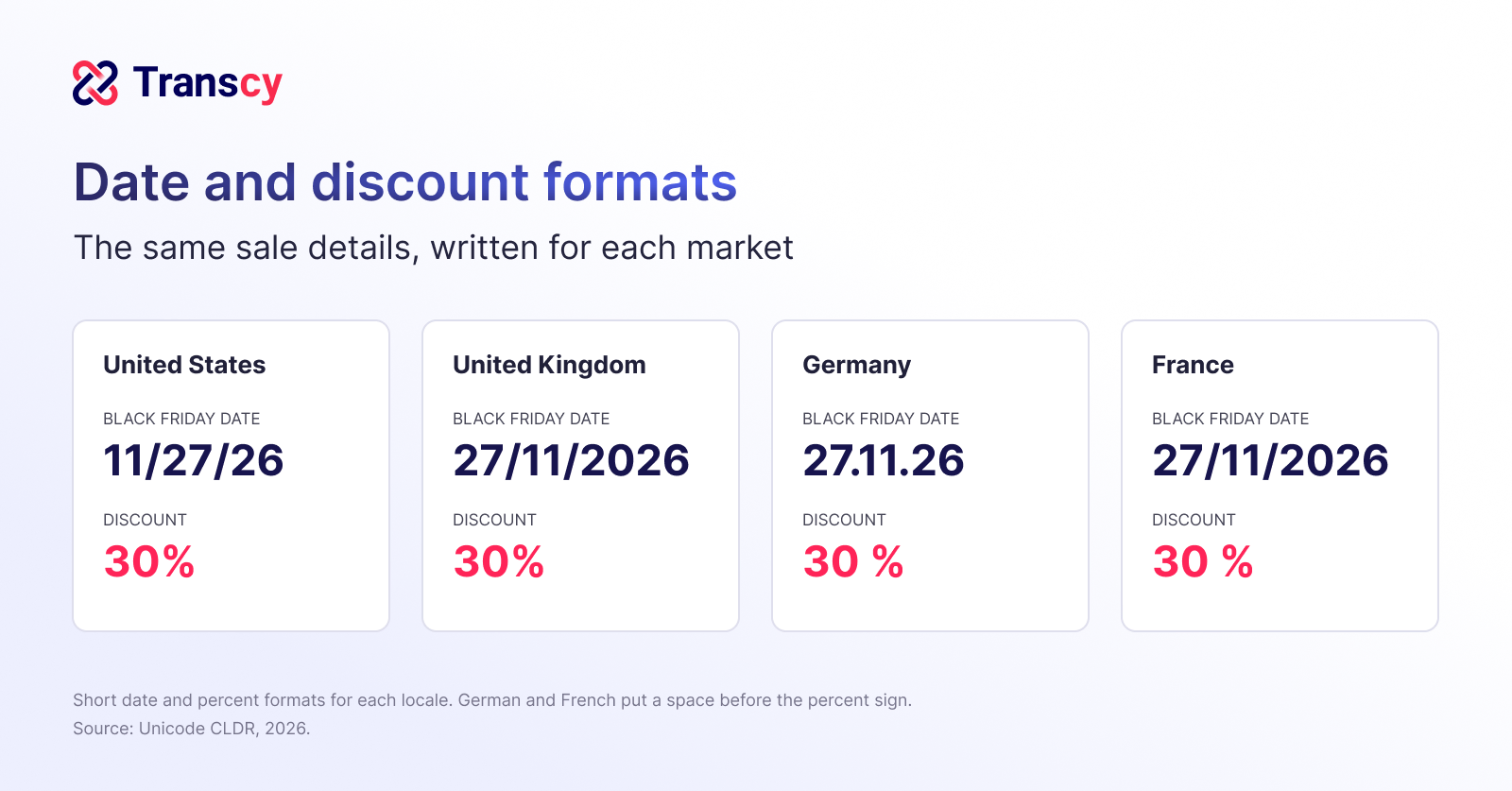
Short dates are written in different orders around the world. The US uses month first (M/d/yy), the UK and France use day first (dd/MM/y), and Germany writes dd.MM.yy (Unicode CLDR, 2026), so a banner that says 11/27 can read as an impossible date in Europe.
The sale itself also goes by different names: in the UAE, Black Friday is also called White Friday, and local marketplace Noon runs its own Yellow Friday (The National, 2025), while Mexico’s main sale event is El Buen Fin, from 13 to 17 November in 2026 (El Buen Fin, 2026).
A date a shopper has to decode is a deadline they will miss. Write dates with the month spelled out, or in each market’s own format, and use the sale name shoppers in that market know, so the banner looks made for them rather than translated for them.
Discounts and prices: On-image numbers must match the store
Number formats change by language too. English writes a discount as 30%, while German and French put a space before the percent sign (Unicode CLDR, 2026). In the EU, any announced price reduction must also refer to a prior price, defined as the lowest price in at least the 30 days before the reduction (EU Directive 2019/2161), and the European Commission’s guidance says this prior price must be shown where the product is sold online, even if it does not appear on the banner itself (European Commission, 2021).
Regulators check these numbers during the sale itself. In a sweep of 314 online traders during last year’s Black Friday and Cyber Monday sales, the European Commission and national consumer authorities found that 30% referenced their discounts incorrectly (European Commission, 2026).
A discount on a banner is a promise, and the product page has to keep it. Show discounts on images as percentages rather than converted prices, and make sure the product page shows the prior price for EU shoppers. Prices on an image cannot follow exchange rates, which we cover in our guide to currency at checkout.
Headlines and buttons: Leave room for longer words
Translated text is often longer than English, and short phrases grow the most. Figures cited by the W3C show that text of up to 10 characters can expand by 200% to 300% in European languages, while text over 70 characters grows by about 130% (W3C, 2007)
A two-word button can become a sentence in another language, and cramped text is one of the first signs of a rushed translation. Design banners with spare space around the headline and the call to action, and avoid tight text boxes.
Translate banners and images in your store before BFCM
With the limits and details mapped, you can prepare each visual in the right way. The steps below use Shopify’s own tools and Transcy, so your localized visuals are live before Black Friday on 27 November.
Keep text out of images where you can
Text placed over an image as live text is translated along with the rest of the page, while text drawn into the image is not (W3C, 2026).
Use text-free background images for your BFCM banners and add the headline, discount, and button as text in your theme section. You then translate the wording once with your other content, and only images that must carry text need a separate version.
Replace banners and theme images for each language
Follow the two steps below to give every language its own banner.
Step 1: Upload your localized banner
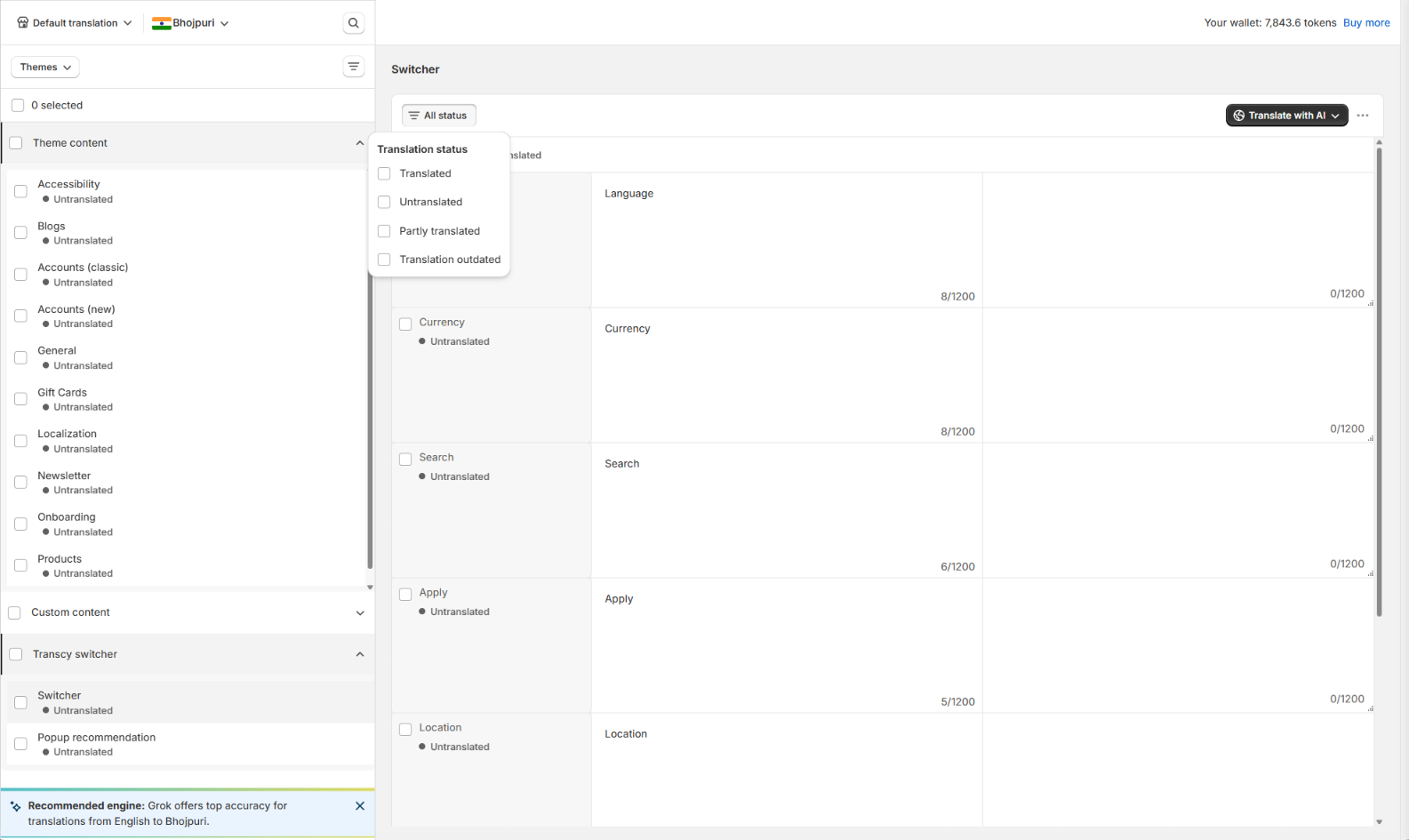
Transcy lists your homepage banners, logos, and other site images in one place, so you can upload a localized version of each for every Editable language.
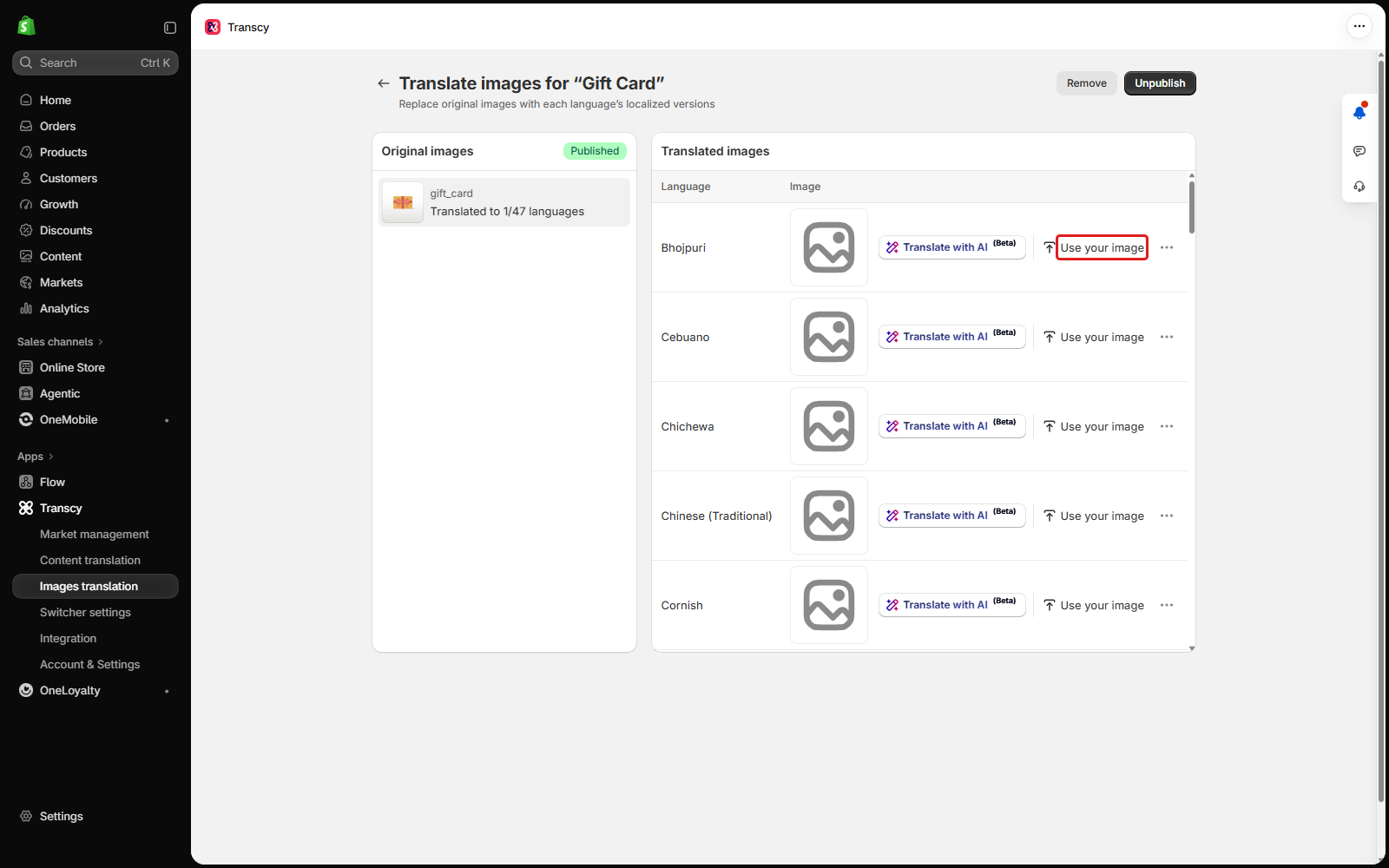
Step 2: Publish the new image
New localized images stay hidden until you publish them, so a banner can be ready and still never reach shoppers.
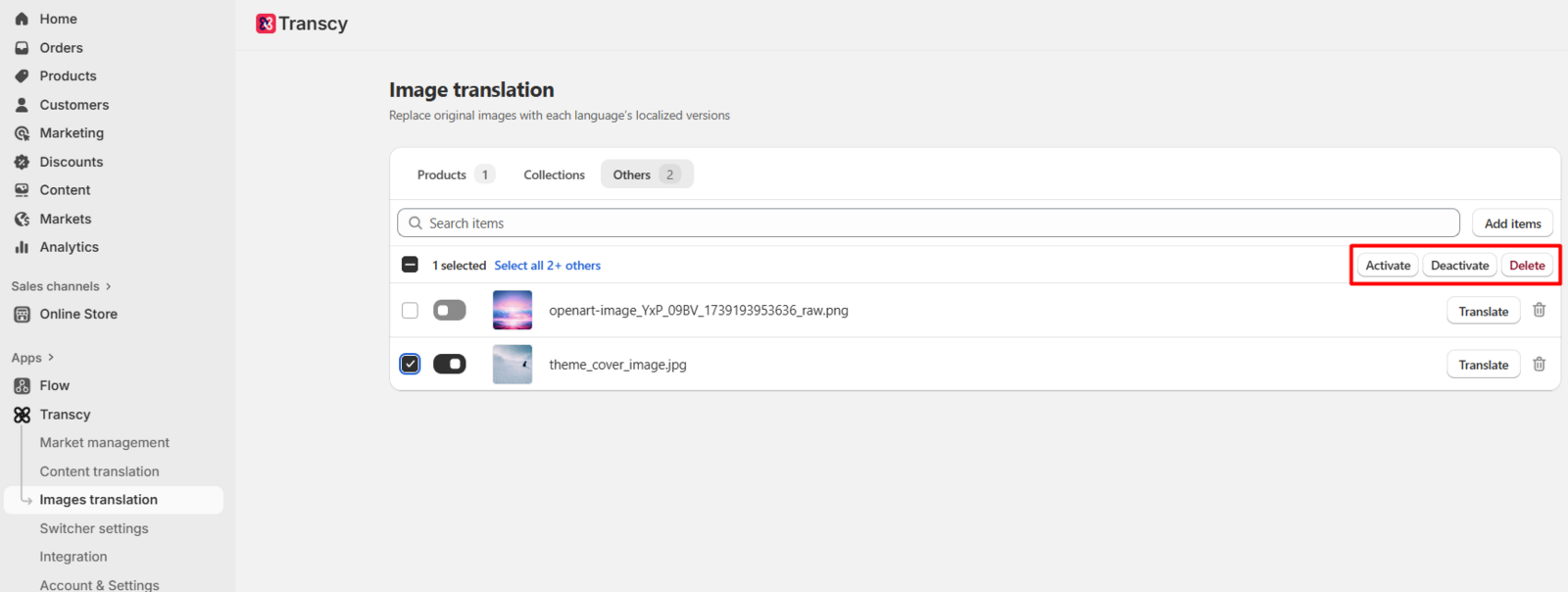
Replace or translate product images for each language
Follow the three steps below to localize the images on your product and collection pages.
Step 1: Choose a product or collection
Transcy can replace the main and variant images of products and collections for each language. Images inside product descriptions are not included.
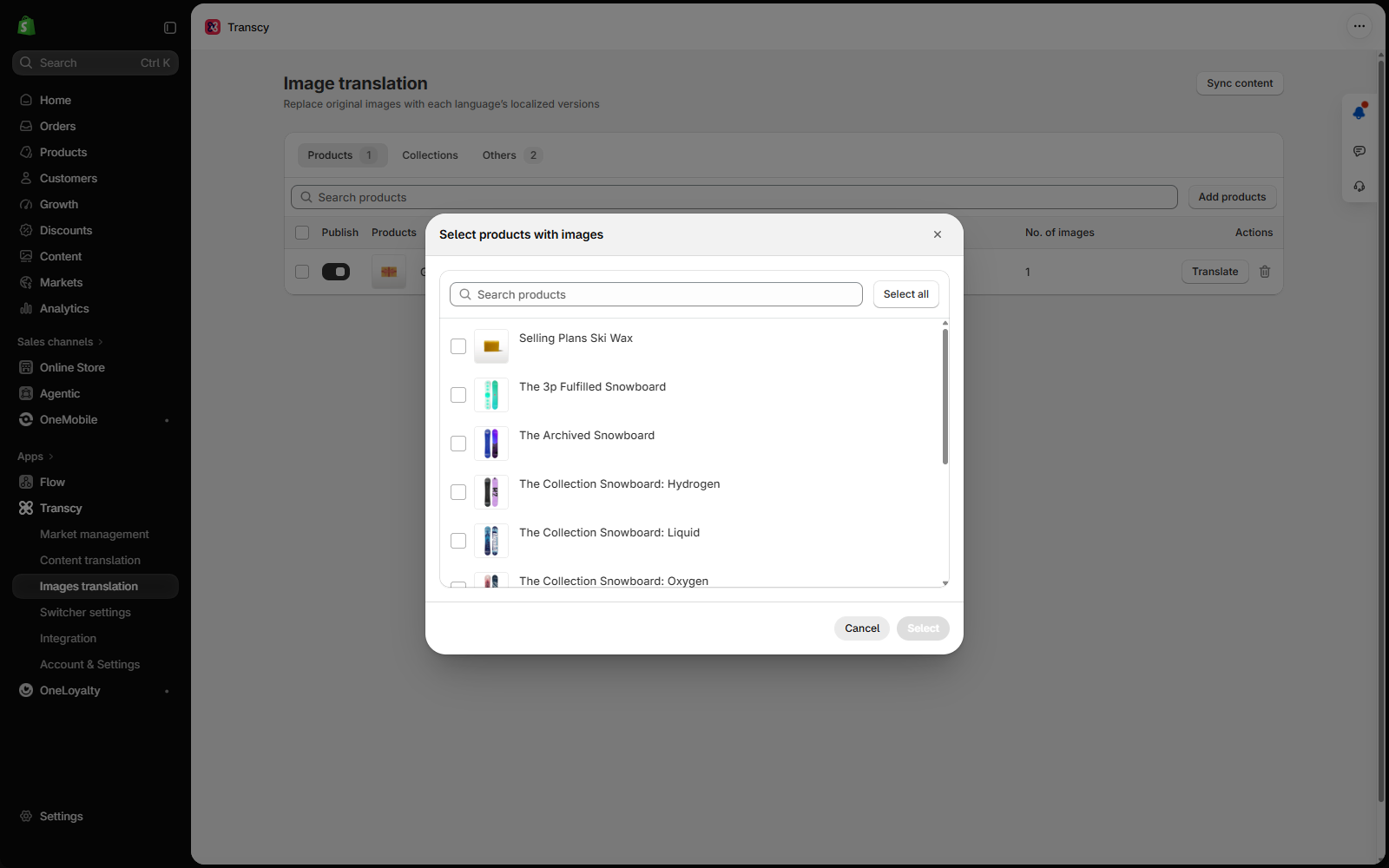
Step 2: Upload your own version or translate with AI
Upload a localized image you designed, or let AI image translation, still in beta, translate the text inside the image while keeping the original design.
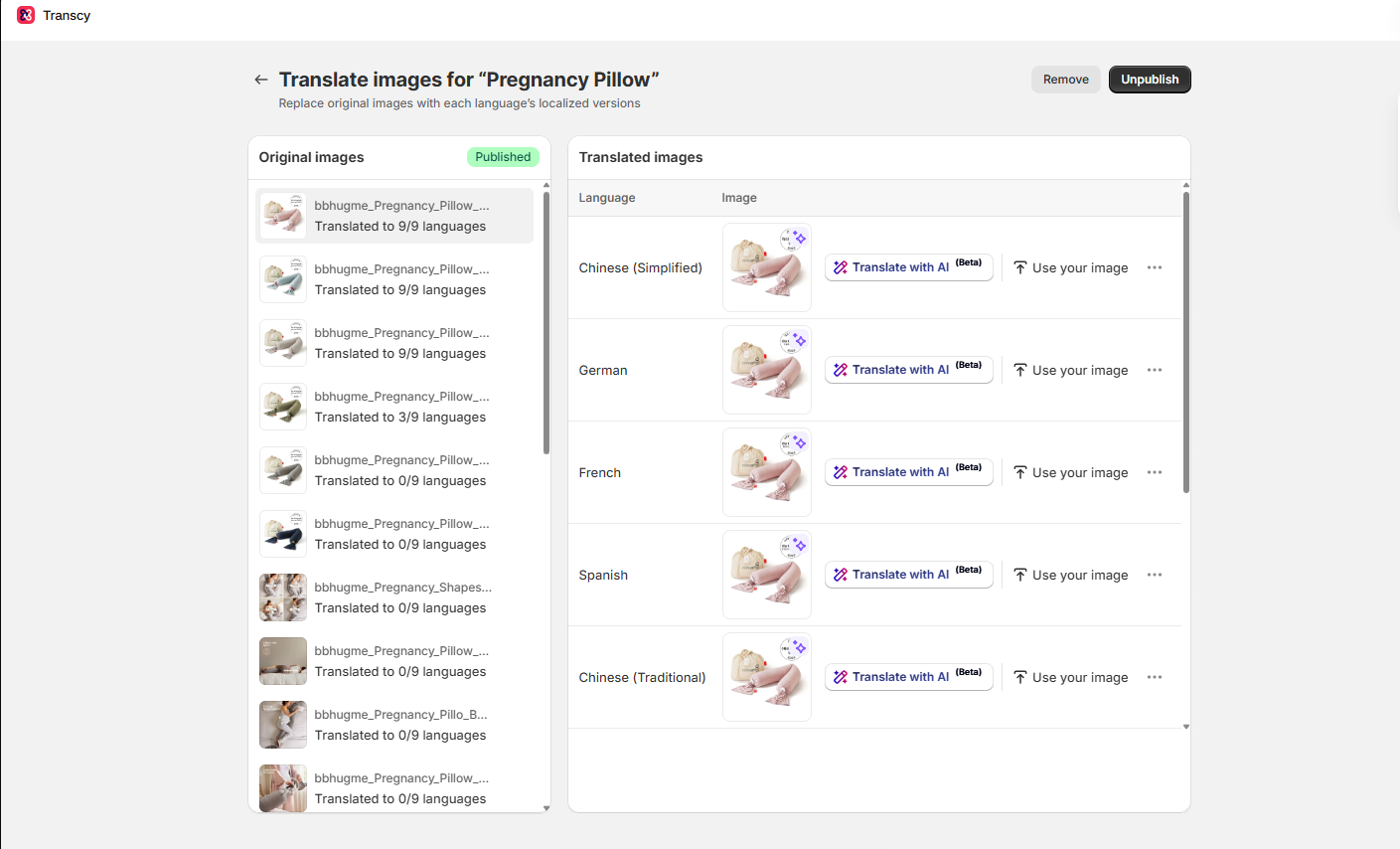
Step 3: Review before you publish
AI image generation might alter product details, so compare the result with the original and check product details, sizes, and labels before it goes live. Translate each image’s alt text as well, which we cover in our multilingual SEO guide.
Check every version on mobile before launch
Mobile devices drove 70% of online orders worldwide during Cyber Week 2025, according to commerce platform Salesforce (Salesforce, 2025).
Most shoppers will meet your banner on a screen the size of their hand. Preview each localized banner and product image on a phone in every language, and check that text is not cropped, that the date and discount read correctly, and that the image still loads quickly on a mobile connection.
Swap sale visuals back after Cyber Monday
When you replace an original image, translated versions can keep pointing to the old image file until they are updated.
An expired BFCM banner left up in one market is a “sale on” sign over a shop that has stopped the sale. After Cyber Monday on 30 November, replace your sale banners in the default language first, then update every localized version.
Conclusion
Sale banners and product images carry the offer international shoppers see first, and they do not translate themselves. We hope the steps in this guide help you show every market an offer that reads as if it was made for them, from the homepage banner to the last product photo.

"The best Shopify translation and localization app designed to help merchants expand globally by translating their store content into multiple languages and adapting it to different currencies and markets."


Table of Contents
Read more articles
17 Best Shopify Apps To Rock 2026 BFCM [Hot Deals Included]
By Transcy Aug 15, 2024
"The best Shopify translation and localization app designed to help merchants expand globally by translating their store content into multiple languages and adapting it to different currencies and markets."