
Make Pricing Feel Local in 168+ Currencies
Show the right currency for every shopper, round prices cleanly, and keep checkout transparent. Build trust and lift conversion across markets.

Shopify Currency Converter for Global Stores
Automatically convert prices into local currencies across your Shopify store, from product pages to checkout. Transcy’s currency converter helps international shoppers see familiar pricing while keeping conversions accurate and consistent.

Convert Up to 168+ Currencies
We detect each shopper’s market and convert prices in real time across product, cart, and checkout—so every visitor sees the price in their local currency, clearly and consistently.
Explore List of Currencies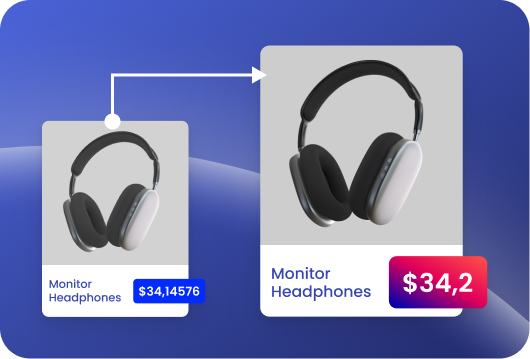
Automatically Round Converted Prices
With automatic rounding, your converted prices are adjusted to shopper-friendly numbers (like $19.99 instead of $19.37), helping you build trust and boost conversions without extra work.
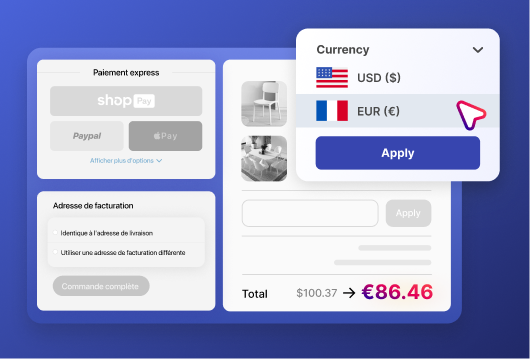
Integrate With Shopify Payments
Transcy works seamlessly with Shopify Payments, enabling shoppers to check out confidently in their currency with no conversion surprises.

Display Original Price
Show your base price alongside the converted price with clear labels, giving cross-border shoppers transparent context for how local pricing is derived.
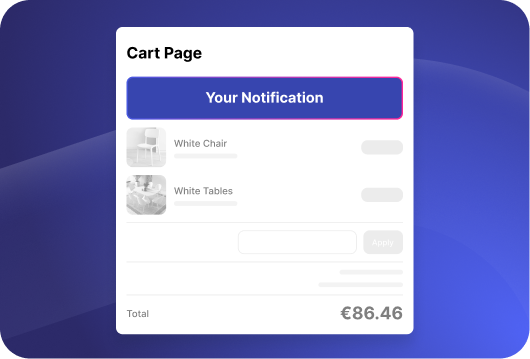
Cart Page Notification
Add a concise message on the cart confirming the charge currency before payment, so shoppers know exactly what they’ll be billed and check out with confidence.
Frequently Asked Questions
1. What does Transcy’s currency converter do?

2. How many currencies does Transcy support?
3. Does the currency converter work with Shopify Payments?
4. Can I control rounding rules for converted prices?
5. Can customers manually switch currencies?
6. Does Transcy support multiple currency on checkout page?
7. Does Transcy support stores with large product catalogs?
Ready to go global?
Join 250,000+ merchants expanding worldwide. Free plan available.